
Manage Spaces
The Manage Spaces module is used for unified management of all spaces.
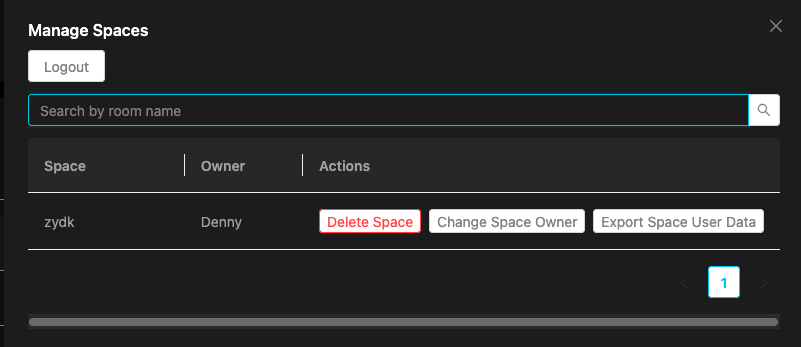
Authentication
First-time use requires entering a Host Token for authentication. After successful verification, no re-entry is needed for 1 hour.
The Host Token is an administrator authentication credential, assigned by the system administrator. You must enter the correct Token before performing management operations.
Space Management Features
1. Search Spaces
Enter a space name in the search box to quickly locate a target space.
2. View Space Details
Click on a space card to view:
- Space name
- Sub-room list and participants in each room
- Currently online participants list
- Current room owner
3. Delete Space
- Click the delete button on the space card
- Confirm to permanently delete the space and all its data
- This operation is irreversible, please proceed with caution
Note: Deleting a space clears all data for that space, including room configuration, chat records, historical data, etc.
4. Transfer Room Owner
- Click the "Edit Owner" button on the space card
- Select a new room owner from the currently online participants list
- Click Save to complete the transfer
5. Export Space
- Click the export button on the space card
- The system generates a Markdown file and automatically downloads it
- Exported content includes:
- Space name
- Sub-rooms and participants
- User access records
6. Logout
Click the "Logout" button to clear the Host Token verification status. You will need to re-enter the Token for the next operation.
Host Token Configuration
The Host Token is configured in vocespace.conf.json:
FAQ
How long is the Token verification valid?
Verification is valid for 1 hour after successful authentication. No re-entry is required during this period. After 1 hour, you need to re-verify.