
Whitelist Mode
Whitelist mode is used to restrict which users can create new spaces.
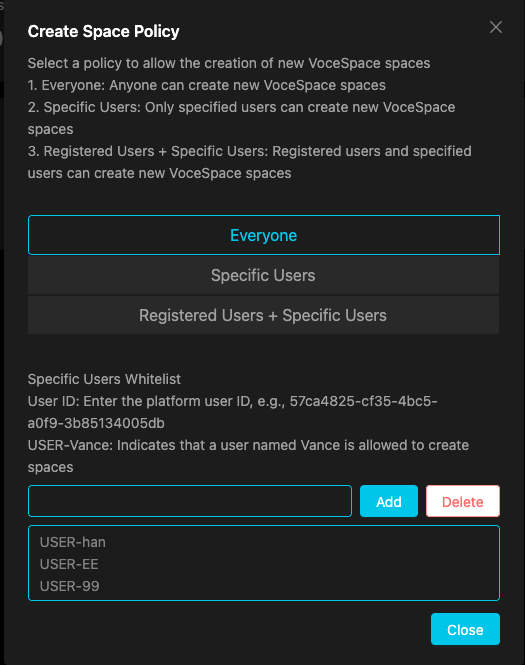
Configuring the Whitelist
1. Set Create Space Policy
In the Dashboard's global configuration, set the create space policy to "Whitelist Mode" (whitelist).
2. Add Whitelist Users
Enter allowed user IDs line by line in the whitelist text box, for example:
3. Save Configuration
Configuration changes take effect immediately without restarting the server.
Whitelist Configuration Example
In vocespace.conf.json, the whitelist configuration is as follows:
| Field | Description |
|---|---|
| create_space | Create space policy, set to whitelist to enable whitelist mode |
| whiteList | Array of user IDs allowed to create spaces |
Create Space Policy Options
| Policy | Value | Description |
|---|---|---|
| All Users | all |
Any user can create new spaces |
| Authenticated Only | authenticated |
Only authenticated users can create new spaces |
| Whitelist Mode | whitelist |
Only users in the whitelist can create new spaces |
| Disabled | none |
Disable new space creation |
Table of Contents