
Log Monitoring
The Log Monitoring module is used to view system heartbeat logs and cleanup records.
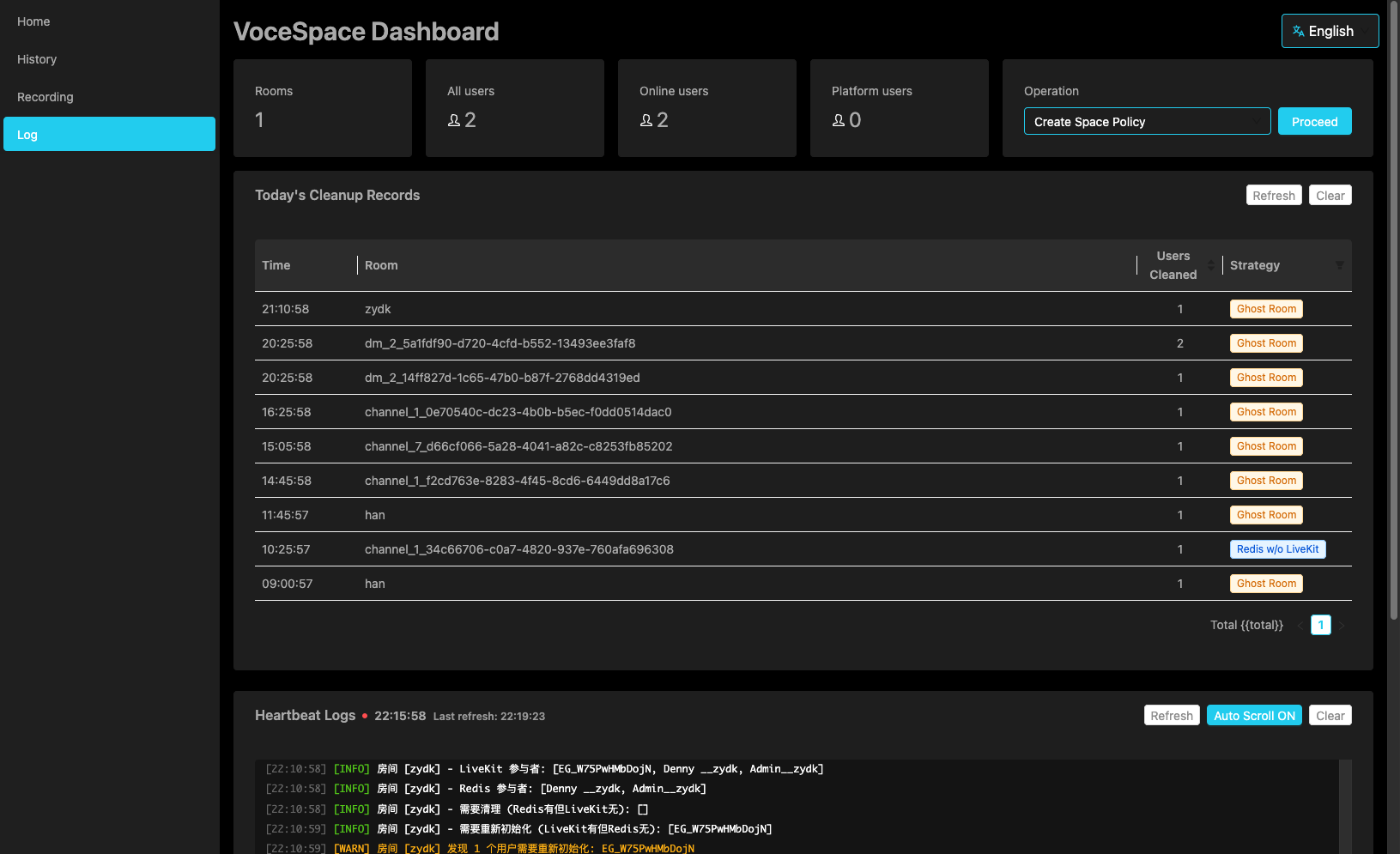
Real-time Logs
Displays real-time logs from system heartbeat detection:
| Color | Meaning |
|---|---|
| Red Text | Error messages, indicating a serious issue |
| Orange Text | Warning messages, indicating a potential anomaly |
| White Text | Normal messages, indicating the system is running normally |
Logs automatically refresh every 3 seconds, showing the latest detection records.
Today's Cleanup Records
A table displays today's automatically cleanup records:
| Column | Description |
|---|---|
| Cleanup Time | Time when the cleanup operation was executed |
| Cleaned Room | Name of the cleaned room |
| Cleaned Users | Number of users cleaned in that room |
| Cleanup Policy | Reason for cleanup |
Cleanup Policy Description
| Policy | Description |
|---|---|
| Ghost Room | Room no longer exists in LiveKit, but data remains in Redis |
| Has Redis but No LiveKit | User exists in Redis but is offline in LiveKit |
Supports paginated viewing, and you can adjust the number of items displayed per page in the bottom right corner.
FAQ
What are "Ghost Users" in the logs?
When a user leaves a room, due to network or other reasons, their data may still remain in Redis. The system performs heartbeat detection every 5 minutes to automatically clean up this residual data, ensuring data consistency.
Table of Contents